Configuring clients to use a container registry mirror
Table of Contents
This is part two in a series of blog posts about container registry mirrors. The previous post focused on setting up a mirror in Kubernetes, now we will look at how to configure various clients to use it.
Note
If you do not have your own mirror you can use https://mirror.gcr.io, which is what will be used in this guide for simplicity.
Docker #
If you are using Docker on Linux you can simply edit /etc/docker/daemon.json and add the registry-mirrors field:
| |
Docker Desktop #
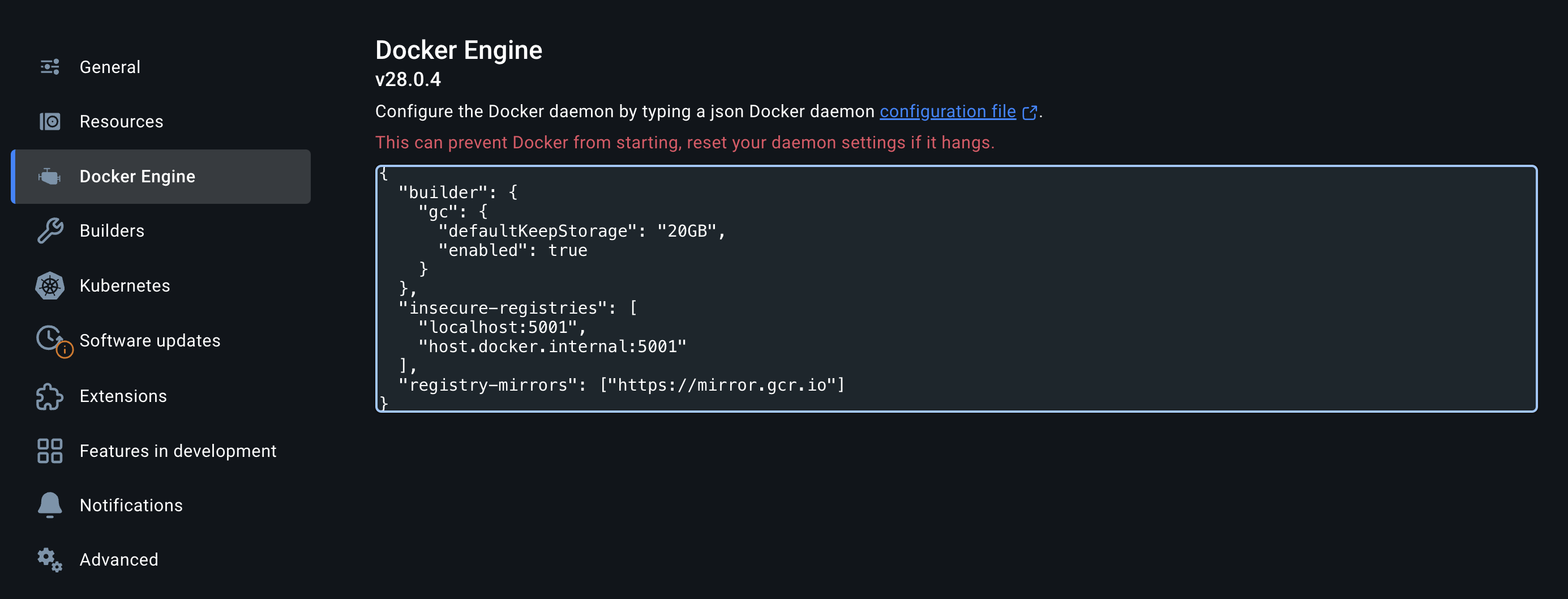
If you are using Docker Desktop you can configure the same via the Docker Engine page in the settings:
CRI-O #
CRI-O is a lightweight alternative to Docker primarily for use with Kubernetes but is also the default runtime when using Podman.
Mirrors can be configured by editing /etc/containers/registries.conf or in a dedicated file under /etc/containers/registries.conf.d:
| |
See also:
- https://www.redhat.com/en/blog/manage-container-registries
- https://github.com/containers/image/blob/main/docs/containers-registries.conf.5.md
OpenShift #
OpenShift has built-in CRDs that can be used to configure nodes in a cluster to use mirrors.
From the OpenShift documentation:
ImageDigestMirrorSet(IDMS). This object allows you to pull images from a mirrored registry by using digest specifications. The IDMS CR enables you to set a fall back policy that allows or stops continued attempts to pull from the source registry if the image pull fails.ImageTagMirrorSet(ITMS). This object allows you to pull images from a mirrored registry by using image tags. The ITMS CR enables you to set a fall back policy that allows or stops continued attempts to pull from the source registry if the image pull fails.
In other words an IDMS will only use the mirror when using digests to pull an image (docker.io/alpine@sha256:af11...) and an ITMS will only
use the mirror when using tags to pull an image (docker.io/alpine:3.22.0)
Examples:
| |
| |
The possible values for mirrorSourcePolicy (fallback policy if the image pull fails) are:
AllowContactingSource: Allows continued attempts to pull the image from the source repository. This is the default.NeverContactSource: Prevents continued attempts to pull the image from the source repository.
That’s it for now, in the next part I will describe how to use MachineConfigs in OpenShift to configure mirrors when using Hosted Control Planes.